A web service that ships a bad release can usually be fixed by redeploying the last good build. The bad code stops running, the good code starts running, and the damage is limited to whatever requests came in during the bad window. Data automation does not work that way. A scheduled job that ships a bad release has already written something, and that something is sitting in a table, a warehouse, a CRM, or a vendor system long after the code has been reverted.
That gap is where most rollback plans quietly fail. The team reverts the commit, the pipeline goes green again, and everyone relaxes. Meanwhile, four thousand rows with a miscalculated total, a wrong currency, or a mangled customer name are still there, and every downstream report is reading them as truth.
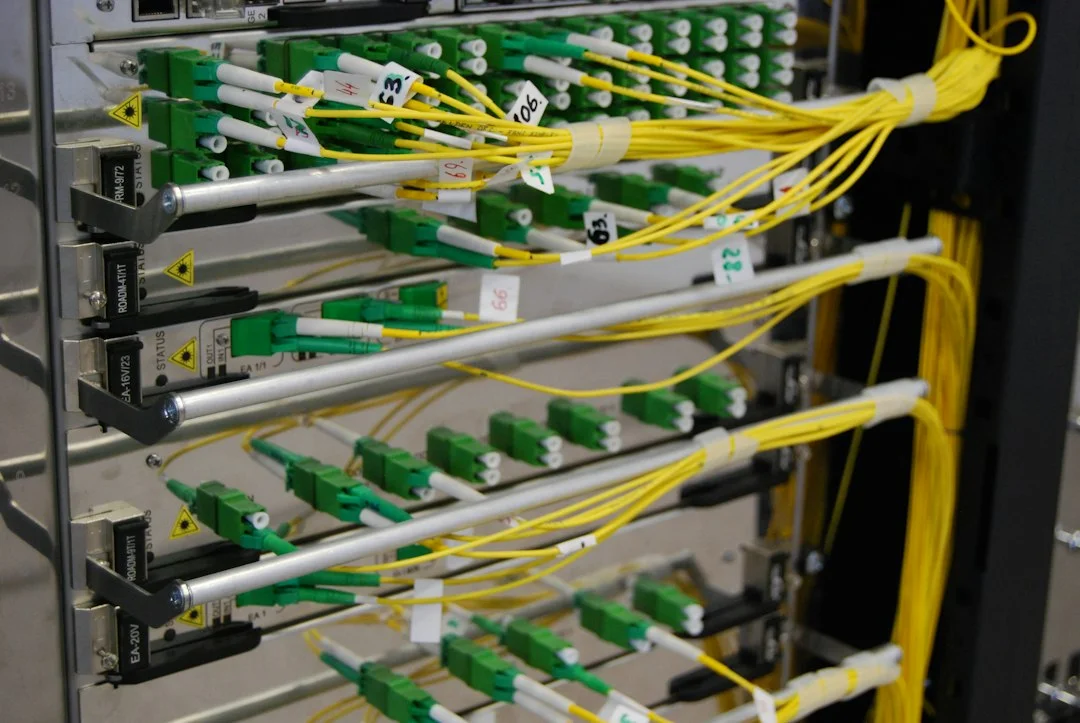
Photo by Elena Kloppenburg on Unsplash

Why rolling back a job is not the same as rolling back a service
Stateless services have one thing going for them: the release is the only thing that changed. Revert the release and you are back where you started. A data job has a second moving part, which is the state it leaves behind, and reverting code does nothing to that state.
There are three separate things you may need to undo after a bad release, and they need different tools:
- The code. This is the easy one. Version control handles it, and any competent deploy process can put the previous build back.
- The output. Rows inserted, updated, or deleted in a target system while the bad version was running. This is the hard one and the focus of the rest of this article.
- The side effects. Emails sent, invoices generated, webhooks fired, tickets opened. Some of these cannot be undone at all, which is a reason to limit what a new release is allowed to do on its first runs.
Treating all three as "the rollback" is how teams end up reverting code, declaring victory, and discovering a week later that the bad data is still live.
Version everything that can change the output
You cannot reverse a release you cannot identify. The first requirement for any rollback is that every run knows exactly which version of the job produced it, and that every row it wrote can be traced back to that run.
Start with the code version. Tag each release with a version number, and a scheme like semantic versioning works fine for jobs even though they are not libraries, because the major, minor, and patch distinction still tells you how risky a change was. Then go beyond the code. A job's output depends on its configuration, its mapping rules, its reference data, and often its schedule. If any of those can change without a code release, a rollback of the code alone will not restore the old behavior.
The practical fix is to write a small run record at the start of every execution. It should contain the job name, the code version, a hash of the active configuration, a run identifier, and a start time. Nothing about this is exotic, but it is the single most useful thing you can have on the day something goes wrong, because it turns "which runs were bad?" from a guessing game into a query.
Stamp every row with the run that wrote it
The run record is only useful if the data points back to it. Add a column to every table the job writes to, usually called something like written_by_run, and populate it on every insert and update. If the target is a system you do not control, such as a SaaS tool with a fixed schema, look for a custom field, a tag, or a notes field you can use for the same purpose.
This one column changes what a rollback looks like. Without it, finding the bad rows means comparing before and after snapshots, reasoning about timestamps, and hoping the bad release did not touch rows that a legitimate process also touched. With it, the question becomes "give me every row written by runs from version 2.4.0 between 02:00 and 05:00," and the answer is a single query.
Be careful with updates. If a job overwrites a field, the stamp tells you which run wrote the new value, but it does not tell you what the old value was. That leads directly to the next requirement.

Photo by Brett Sayles on Pexels
Keep the previous value, not just the current one
Reversing an update needs the thing the update replaced. There are a few ways to keep it, and the right one depends on the size of the data and how often it changes.
Append instead of overwrite. For data where history matters anyway, write new versions as new rows with a validity range, rather than changing rows in place. The old value is never lost, and a rollback becomes a matter of marking the bad rows as invalid and reopening the previous ones. It costs storage and makes queries slightly more involved, but it makes reversal almost trivial.
Shadow tables for risky changes. Before a new release touches a large set of existing rows, copy the affected rows into a side table keyed by run identifier. If the release turns out to be bad, the shadow table is your restore source. You can drop it after a retention period, such as two weeks, once you are confident nothing is wrong.
Database-level history. Many databases can keep a change history for you. PostgreSQL, for example, supports triggers that can write every change into an audit table, and several systems offer temporal tables natively. This is the heaviest option, but it protects you from jobs you forgot to instrument.
Whichever approach you choose, test the restore path with real data before you need it. A backup you have never restored is a hope, not a plan.
Make writes idempotent so that re-running is safe
A rollback often ends with a re-run: revert the code, then run the fixed version over the same time window to regenerate the correct output. That only works if running a job twice over the same input produces the same result as running it once. This property is called idempotence, and it is worth designing for from the start.
In practice, it means using upserts keyed on a natural identifier instead of blind inserts, deriving record identifiers deterministically from the input instead of generating random ones, and avoiding "add to the current value" updates in favor of "set the value to the computed total." A job that increments a balance by the amount in each source row will double the balance if you re-run it. A job that recomputes the balance from the source rows will not.
If your jobs are not idempotent today, you do not have to rewrite everything at once. Start with the ones that touch money, customer records, or anything that feeds a report an executive reads. Those are the places where a duplicated write costs the most.
Release in a way that limits the blast radius
The cheapest rollback is the one you never have to perform on a full dataset. A few release habits shrink the damage a bad version can do before anyone notices.
- Run the new version in shadow mode first. Let it compute its output and write to a scratch location, then compare against what the current version produced for the same input. Differences you cannot explain are your early warning.
- Canary on a slice. Point the new version at a small, representative subset, such as one region, one customer tier, or one percent of records, and let it run for a few cycles before widening.
- Cap the first run. Give new releases a maximum number of rows they are allowed to write or change in a single run, and make the job stop and alert if it would exceed that. A bug that wants to rewrite two million rows when the previous version touched four thousand is a bug you want to catch at row five thousand.
- Hold back irreversible side effects. On the first runs of a new version, queue emails and external calls instead of sending them, and release them once the data checks out.
Teams that adopt even two of these tend to find that most bad releases are caught in the shadow or canary stage, and the rollback never needs to touch production data at all.
Write the rollback procedure before the release, not during the incident
When a bad release is live and data is wrong, nobody thinks clearly. The procedure you want to follow should already exist, be short, and be written for someone tired and under pressure. A good rollback runbook for a data job covers a small number of things:
- How to stop the job and confirm it has stopped, including any queued or retrying runs.
- How to identify the affected runs using the run record, and how to list the rows they wrote.
- How to restore the previous code version and configuration.
- How to reverse or quarantine the affected rows, with the exact queries or scripts to use.
- How to re-run the corrected version over the affected window, and how to verify the result.
- Who to notify, including the owners of any downstream reports that read the bad data in the meantime.
Orchestrators help here. A tool such as Apache Airflow lets you clear and re-run specific task instances over a defined date range, which makes the "re-run over the affected window" step a configuration exercise instead of a custom script. Whatever tool you use, rehearse the procedure on a staging copy at least once, and update it any time the job changes shape.
"Every automation team eventually ships a bad release. What separates the good ones is whether they can name the exact rows it touched within ten minutes, and whether they have already decided how to undo them." - Dennis Traina, founder of 137Foundry
Decide what to do about downstream consumers
Reversing the rows in the source system is only half the job if other systems have already read them. A dashboard that refreshed during the bad window, a nightly export that picked up the wrong totals, and a partner feed that was pushed out are all carrying the damage forward.
Part of the rollback plan should be a list of consumers for each job: what reads its output, how often, and who owns that system. When a release goes wrong, that list tells you who to warn and what to refresh. It also tells you which consumers can be paused, which is often a faster and safer first move than trying to correct the data underneath them in real time.
For consumers you cannot pause or correct, such as an external partner who already received a file, the honest approach is to send a correction promptly and say plainly what was wrong. A clear, early correction is almost always better received than a quiet fix that someone discovers later.
A short checklist before the next release
If you only change a few things after reading this, make them these. They cost little and they are what make the rest possible.
- Every run writes a record with the job name, code version, configuration hash, and run identifier.
- Every target table has a column, tag, or field that links each row to the run that wrote it.
- Jobs that overwrite data keep the previous value somewhere you can query.
- Writes are idempotent, or at least the high-value jobs are.
- New releases run in shadow or on a canary slice, with a cap on how much they may change.
- A written rollback procedure exists, has been rehearsed, and lists downstream consumers.
None of this makes bad releases impossible. It makes them boring, which is the goal. If you are running automation that feeds real business decisions and want help designing the release and recovery path around it, our ai automation service is built for exactly that kind of work, and the services overview explains how we engage on custom builds and reliability reviews.
Rolling back is a data problem, not a code problem
The main point to carry away is that the code revert is the small part. The real work of recovering from a bad data job release is knowing what it wrote, having the old values, and being able to safely run the fixed version again. Each of those is a design decision you make long before the incident, in the way you record runs, stamp rows, structure writes, and stage releases.
Teams that treat rollback as a first-class feature of their data automation recover in minutes and sleep through most releases. Teams that treat it as an afterthought find out how much their data is worth on the worst possible day. If you want a second pair of eyes on how your jobs are built, the 137Foundry homepage is the place to start a conversation about it.